
If you’re trying to grow your channel, one of the most important things to understand is who your YouTube subscribers are and how to view them inside YouTube Studio.
Quick Answer: How Do You See Your Subscribers on YouTube?
To see your subscribers on YouTube:
- Open YouTube Studio
- Click Dashboard
- Scroll to Recent Subscribers
- Click See All
You can only see subscribers who have made their subscriptions public.
Step-by-Step: How to See Your Subscribers on YouTube (Desktop)
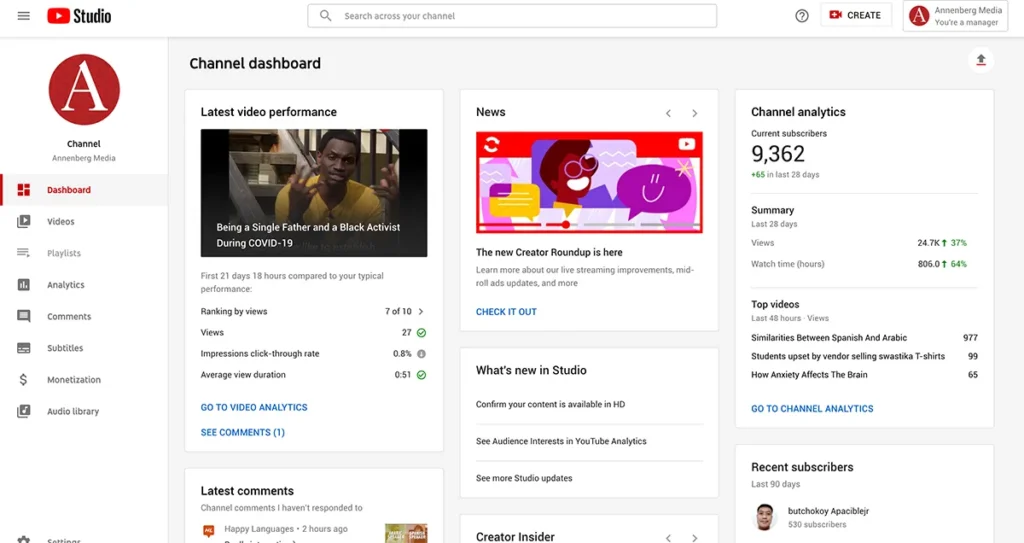
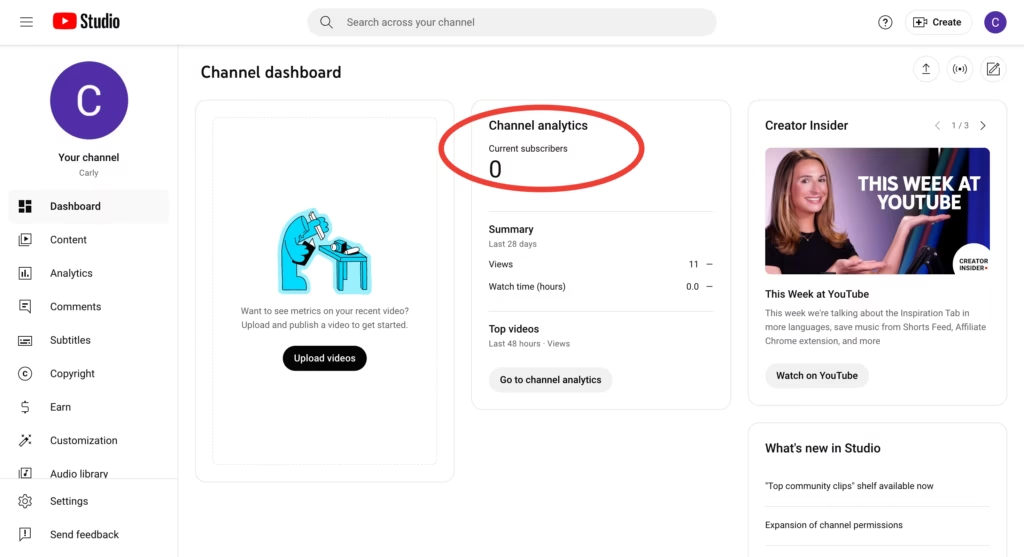
Step 1: Go to YouTube Studio
Visit:
studio.youtube.com
Make sure you’re logged into the correct channel.
Step 2: Click on “Dashboard”
On the left sidebar, select Dashboard.
You’ll see:
- Channel analytics
- Latest video performance
- Recent subscribers
Step 3: Find “Recent Subscribers”
Scroll down to the “Recent Subscribers” card.
Click See All to view the full list.
You can filter by:
- Last 7 days
- Last 28 days
- Last 90 days
- Lifetime
Why Can’t I See All My Subscribers?
YouTube only shows subscribers who:
✔ Have made their subscriptions public
✔ Have not hidden their subscriber list
If someone keeps their subscriptions private, you will not see them.
This is a privacy feature.
How to See Subscriber Count on YouTube (Public View)
If you just want to see your total subscriber count:
- Open your channel
- Go to YouTube Studio
- Check the top-left dashboard area
Or visit:
YouTube → Your Channel → Subscriber count appears below channel name
How to See Subscriber Analytics (Advanced Method)
If you want deeper insights beyond just names:
Go to:
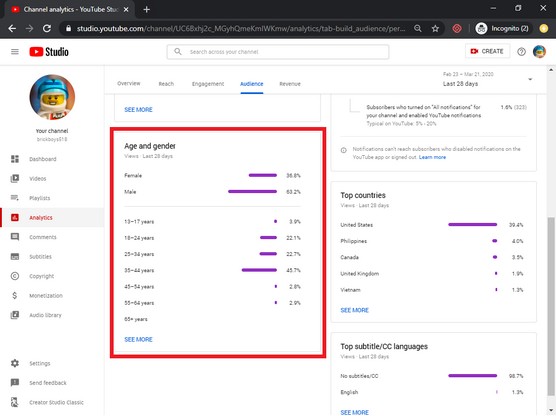
YouTube Studio → Analytics → Audience Tab
There you can see:
- Subscriber growth over time
- Returning viewers
- Unique viewers
- Subscriber bell notifications
- Top geographies
- Watch time from subscribers vs non-subscribers
This helps you understand:
- Which country your subscribers are from (India, US, UK, Canada, etc.)
- When your subscribers are most active
- What content converts viewers into subscribers
How to See Subscribers on YouTube Mobile
Currently, the YouTube mobile app does not show detailed subscriber lists.
You must use:
- YouTube Studio app (limited view)
OR - Desktop browser for full list access
Leave a Reply