
Instagram does not currently allow you to completely hide your following list from everyone.
But that doesn’t mean you have no control.
In this guide, I’ll show you what actually works in 2026 — no myths, no outdated tricks.
Can You Hide Your Following List on Instagram?
Short answer:
You cannot fully hide your following list on a public account.
However, you can limit who sees it by:
- Switching to a private account
- Removing followers
- Blocking specific users
- Restricting accounts
- Controlling profile visibility
Now let’s break it down properly.
Method 1: Make Your Instagram Account Private (Most Effective)
If your account is public, anyone can tap your profile and view:
- Your followers
- Your following list
- Mutual connections
Switching to private changes that instantly.
How to Make Instagram Private (2026 Updated Steps)
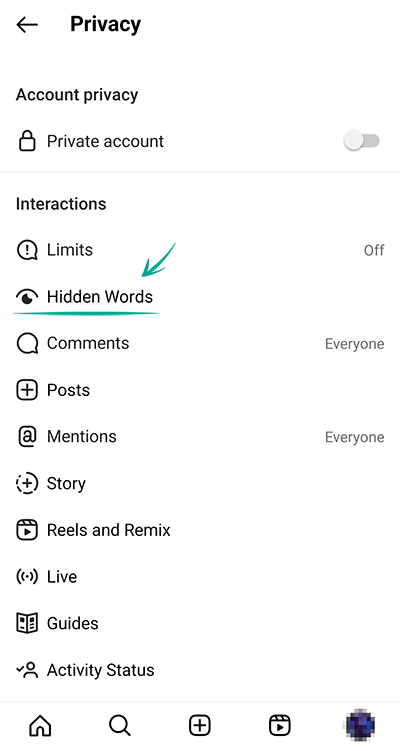
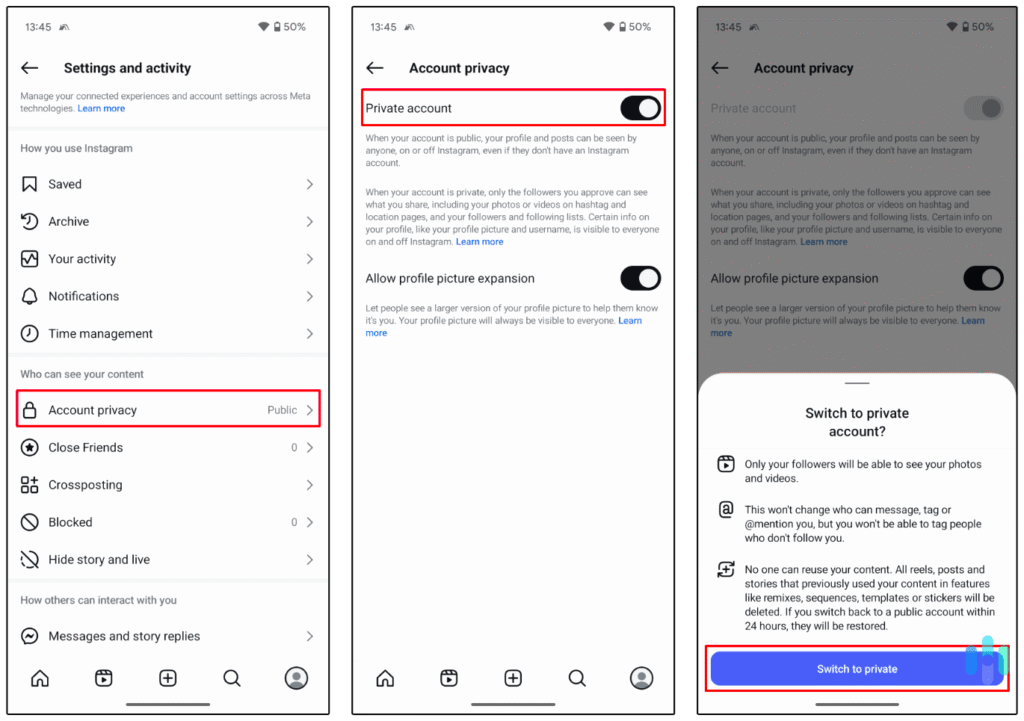
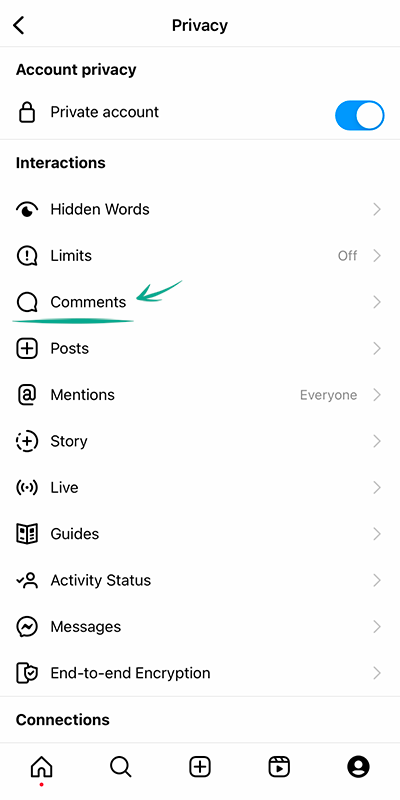
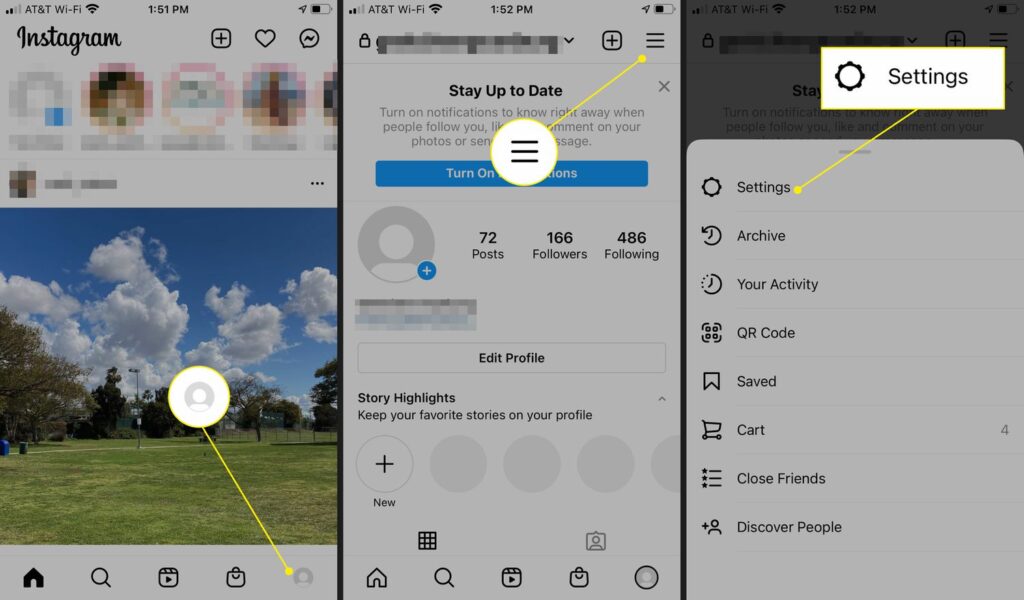
- Open Instagram
- Go to your Profile
- Tap the three lines (☰)
- Go to Settings & Privacy
- Tap Account Privacy
- Turn on Private Account
Now:
- Only approved followers can see your following list
- Strangers cannot view your connections
- Your account becomes invitation-only
This is the most reliable way to hide your following list on Instagram.
Method 2: Remove Specific Followers
Sometimes you don’t want to go fully private.
Maybe your account is for:
- Business
- Content creation
- Personal branding
In that case, you can remove specific people.
Steps:
- Go to your profile
- Tap Followers
- Find the person
- Tap Remove
They won’t be notified.
Once removed, they cannot see your following list (if your account is private).
Method 3: Block Someone (Complete Restriction)
If there’s one specific person you don’t want seeing your following list:
Blocking works instantly.
When you block someone:
- They cannot see your profile
- They cannot see followers
- They cannot see following
- They cannot search you properly
This is the strongest privacy option.
Method 4: Restrict vs Block (What’s the Difference?)
Many people search:
- How to hide following list from one person on Instagram
- How to hide following list without blocking
Here’s the difference:
Restrict:
- Limits comments visibility
- Moves DMs to message requests
- Does NOT fully hide your following list
Block:
- Completely removes visibility
If your goal is full privacy → blocking is required.
Important: Business & Creator Accounts
If you’re using:
- Instagram Business account
- Instagram Creator account
Your following list visibility still depends on whether your account is public or private.
Business accounts are usually public — which means:
Anyone can see your following list.
If privacy matters more than discoverability, consider switching back to private.
Can You Hide Following List From Just One Person?
This is one of the most searched questions.
And the real answer:
No, Instagram does not allow selective hiding of your following list.
Your options are:
- Remove them
- Block them
- Make account private
There is no built-in “hide following list from X person” feature.
Why Instagram Doesn’t Allow Full Hiding
Instagram’s platform is built around social transparency.
Followers and following lists:
- Drive network connections
- Increase discoverability
- Enable mutual discovery
Completely hiding lists would break that model.
That’s why privacy controls are partial — not absolute.
Leave a Reply